WGSL: A Primer
An introductory tour of the WebGPU Shader Language
Welcome
Welcome to WGSL: A Primer—a condensed technical reference and interactive playground for the WebGPU Shading Language. Designed for developers with an interest in GPGPU (General-Purpose computing on GPUs), this resource assumes standard programming experience and serves as an entry point to a broader learning path.
This Primer focuses on how WebGPU's execution model maps directly to physical GPU hardware, explaining how its compilation constraints arise from that hardware design. Rather than viewing these constraints as obstacles, understanding and embracing them enables you to unlock maximum parallel performance directly inside the browser.
By bridging the gap between web development and hardware architectures, the primer empowers web and front-end developers to transition into GPGPU programming and unlock high-performance client-side web application development.
Interactive Features
The primer provides the WGSL shaders for each example. The shaders can be edited in the text view, with compiling output displayed immediately.
Interactive and editor capabilities include:
Compilation & Live Execution
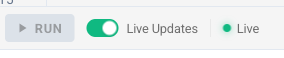
Modifications are automatically compiled and executed within the graphics or compute pipeline. When you make changes, the status bar instantly reflects compilation states, while error diagnostics are rendered directly inline within the code editor.
Interactive Workspace & Layouts
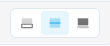
An integrated, premium status bar is docked directly to the base of the code editor. It features interactive controls to toggle responsive, split, or maximized layouts, giving you complete flexibility to maximize your code view or canvas area.
Canvas Animation Play/Pause
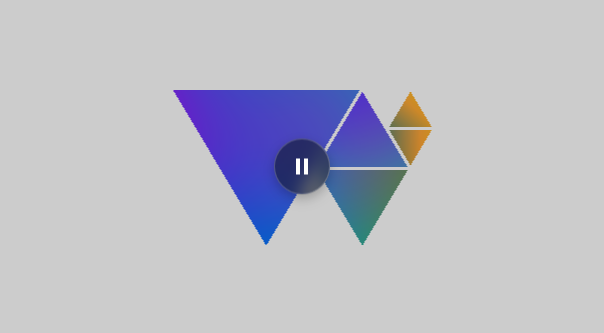
Hovering or tapping an active graphics shader canvas displays a glassmorphic overlay containing a play/pause button. This allows you to toggle execution, freeze rendering frames to inspect complex pixel behaviors, or save local CPU/GPU resources.
Keyboard Shortcuts & Definition Tooltips
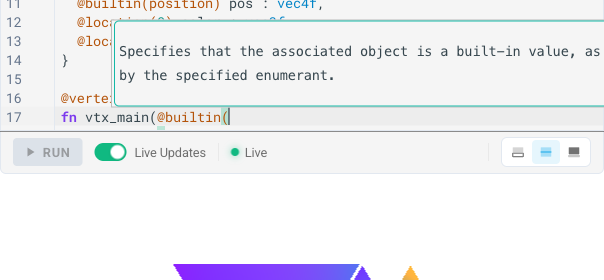
Position the text cursor over attributes (e.g. @builtin), built-in values (e.g. vertex_index), or intrinsic functions (e.g. sin) and press ctrl-o to display inline documentation and type definitions. You can dismiss the tooltip by pressing Escape or clicking outside of it.
Page-level keyboard shortcuts for Prev/Next navigation are automatically protected and bypassed when focus is inside the code editor to prevent accidental page switching.
Each of these shaders can serve as the starting point for your own exploration.
Warmup Activity
As a warmup, edit the frag_main function. First, uncomment the assignment on line 67 (which rotates the color values clockwise: final_color = final_color.gbr;). Then, instead, try uncommenting the assignment on line 69 (which rotates the color values counter-clockwise: final_color = final_color.brg;). What happens to the gradient's colors?
The primer is organized into the following sections:
- Functions: Function syntax, calls, the
@must_useattribute, and entry points. - Types: Supported types in WGSL, from basic scalars and vectors to structures, pointers, and atomics.
- Expressions: Operators and different evaluation stages (constant, override, runtime).
- Variables & Constants: Declaration and usage of mutable variables (
var) and immutable values (const,override,let). - Control Flow: Branching and looping statements (
if,switch,loop,while,for). - Binding Points: Connection of shaders to CPU-side resources like buffers and textures using binding points and attributes.
- Uniformity Analysis: Compile-time execution uniformity tracking for derivative and barrier safety.
Each section has several sub-pages, and you can navigate forward and backward using the buttons on the bottom of each page, or by using the left and right keys on your keyboard.
/*
 * Copyright ©2026 Michael R. Bernstein. All new modifications licensed under Apache 2.0.
 * Upstream lineage ©2023 governed by original BSD 3-Clause. See README.md.
 */

// vertex_count: 15

@binding(0) @group(0) var<uniform> frame : u32;

struct VertexOutput {
  @builtin(position) pos : vec4f,
  @location(0) color : vec3f,
  @location(1) uv : vec2f,
}

@vertex
fn vtx_main(@builtin(vertex_index) vertex_index : u32) -> VertexOutput {
  const pos = array(
    vec2f(-0.775189,  0.459474), // P1_A
    vec2f(-0.214846, -0.475223), // P1_B
    vec2f( 0.345474,  0.459474), // P1_C
    vec2f( 0.362880,  0.450034), // P2_A
    vec2f( 0.091383, -0.002834), // P2_B
    vec2f( 0.634377, -0.002834), // P2_C
    vec2f( 0.091383, -0.022354), // P3_A
    vec2f( 0.362880, -0.475223), // P3_B
    vec2f( 0.634377, -0.022354), // P3_C
    vec2f( 0.524640,  0.218560), // P4_A
    vec2f( 0.651717,  0.006587), // P4_B
    vec2f( 0.779154,  0.218560), // P4_C
    vec2f( 0.651703,  0.450057), // P5_A
    vec2f( 0.524617,  0.238075), // P5_B
    vec2f( 0.779154,  0.238075)  // P5_C
  );

  const palette = array(
    vec3f(0.57, 0.12, 0.94), // Purple
    vec3f(0.12, 0.40, 0.94), // Royal Blue
    vec3f(0.00, 0.65, 0.85), // Blue-Teal
    vec3f(0.00, 0.75, 0.75), // Teal
    vec3f(0.05, 0.75, 0.55), // Teal-Green
    vec3f(0.12, 0.75, 0.35), // Green
    vec3f(0.50, 0.80, 0.20), // Lime-Green
    vec3f(0.94, 0.85, 0.12), // Yellow
    vec3f(0.70, 0.82, 0.15)  // Lime-Yellow
  );
  const color_indices = array(0, 1, 2, 1, 2, 3, 2, 4, 5, 5, 6, 7, 7, 5, 8);

  var out: VertexOutput;
  out.pos = vec4f(pos[vertex_index], 0.0, 1.0);
  out.color = palette[color_indices[vertex_index]];
  out.uv = pos[vertex_index];
  return out;
}

@fragment
fn frag_main(in: VertexOutput) -> @location(0) vec4f {
  // Animate the gradient colors using the frame uniform to make the gradient float
  let t = f32(frame) * 0.03;
  let wave = sin(in.uv.x * 3.0 + t) * 0.18 + cos(in.uv.y * 3.0 - t) * 0.18;

  let animated_color = in.color + vec3f(wave, -wave * 0.6, sin(t) * 0.12);
  var final_color = clamp(animated_color, vec3f(0.0), vec3f(1.0));

  // WARMUP ACTIVITY: Try altering the animation or colors below!
  // Uncomment this line to rotate the color values clockwise:
  // final_color = final_color.gbr;
  // Or uncomment this line to rotate the color values counter-clockwise:
  // final_color = final_color.brg;

  return vec4f(final_color, 1.0);
}